
Your voice.
Your words.
Your privacy.
Speak wherever you write. Verba transcribes and cleans up your words locally on your Mac. Your audio and transcripts never go to a server.
macOS 15+ · Apple Silicon · 50 free transcriptions included
Privacy is the whole point.
A lot to say.
Nothing to share.
Your ideas don’t need a round trip to someone else’s server. From the first word to the final edit, your Mac does the work.

Your voice never leaves.
Audio and transcripts stay on your device. Dictation and cleanup happen locally, without sending your words to a cloud service.
No audience. No analytics.
No usage tracking, no analytics, no behavioural profiles. What you say—and how often you say it—is your business.
Ideas work offline, too.
Once set up, speech recognition and text cleanup work without an internet connection. On a flight, off the grid, at your desk.
An internet connection is needed for setup downloads, updates, and license activation and periodic validation. Your audio and transcripts are never part of those requests.
Say it where you need it.
Draft an email, give an AI assistant a detailed brief, or get an idea into a document. Speak into the text field you’re already using, in Mac apps and on the web. Less typing, less switching between windows, more time for the thought itself.
- Emails & messages
- Prompts & instructions
- Notes & documents
Hold fn
Hold Fn in the app you’re writing in. Verba is ready when you are.
Speak naturally
Speak in your own rhythm, in your own language. No special commands to learn.
Your words appear
Release Fn. Verba transcribes, optionally cleans up, and pastes your words where you’re writing.
AI Text Cleanup
Still your words. Just a little clearer.
Optional cleanup, fine-tuned for dictation. Remove the hesitations and tidy the punctuation, while keeping your meaning.
- Removes filler words (um, uh, like, basically)
- Fixes grammar and punctuation
Optional setup download. After that, cleanup runs on your Mac.
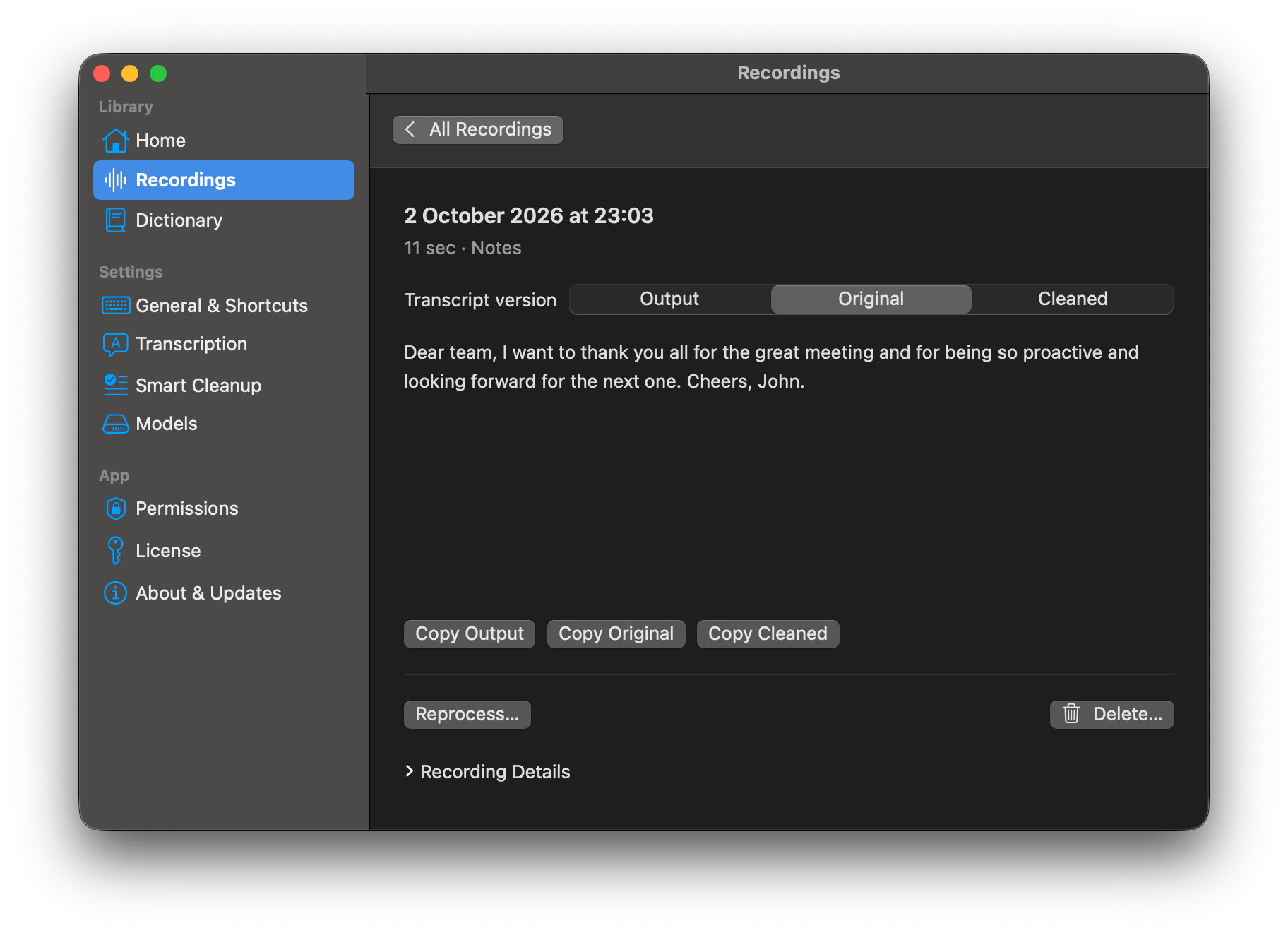
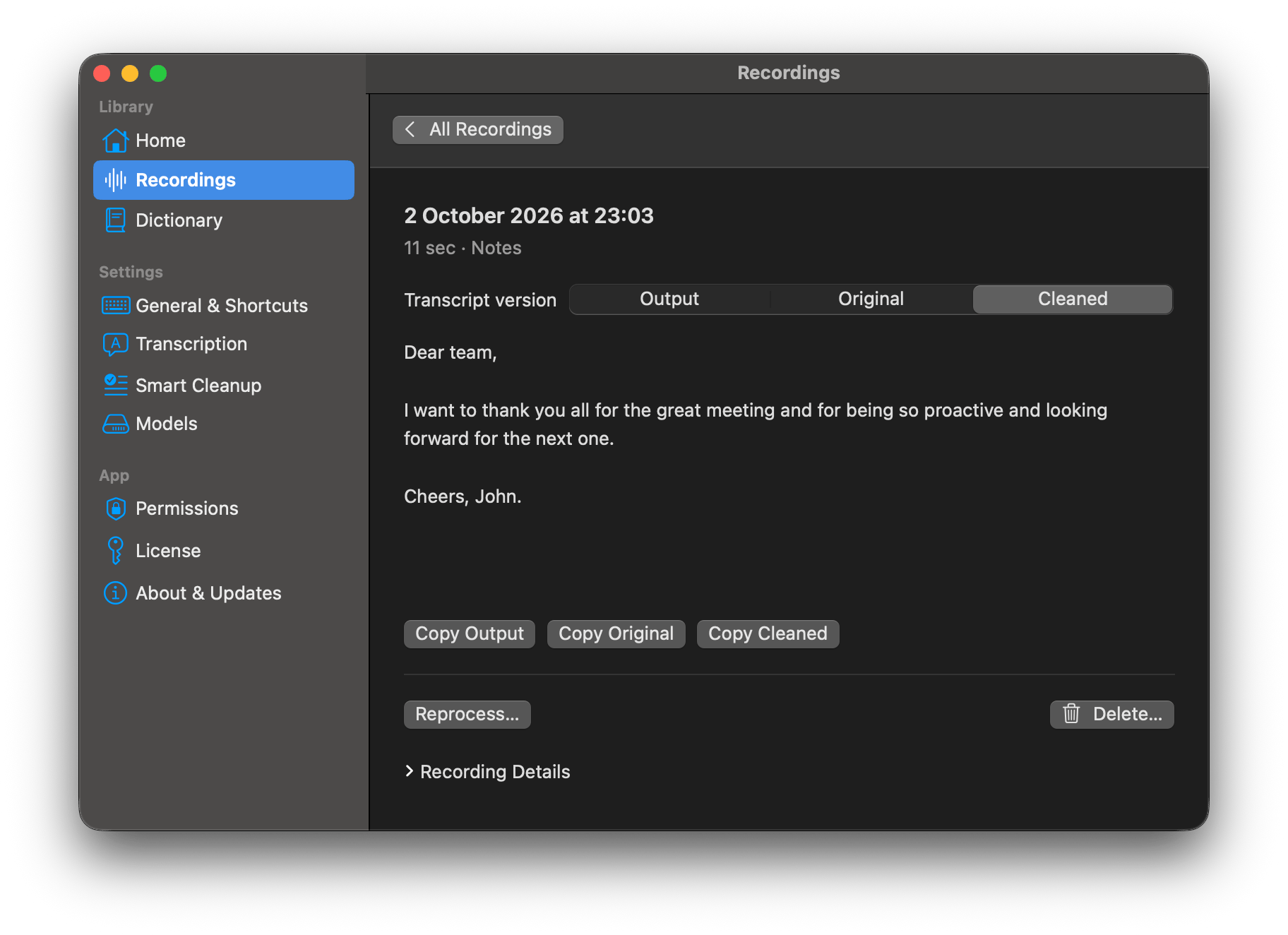
um can you send the updated proposal by friday and uh include the new timeline
Can you send the updated proposal by Friday and include the new timeline?
Dictionary
Your words. Spelled your way.
Names, project terms, phrases you use every day. Save them in Verba’s built-in Dictionary, and your local replacement rules keep them written your way.
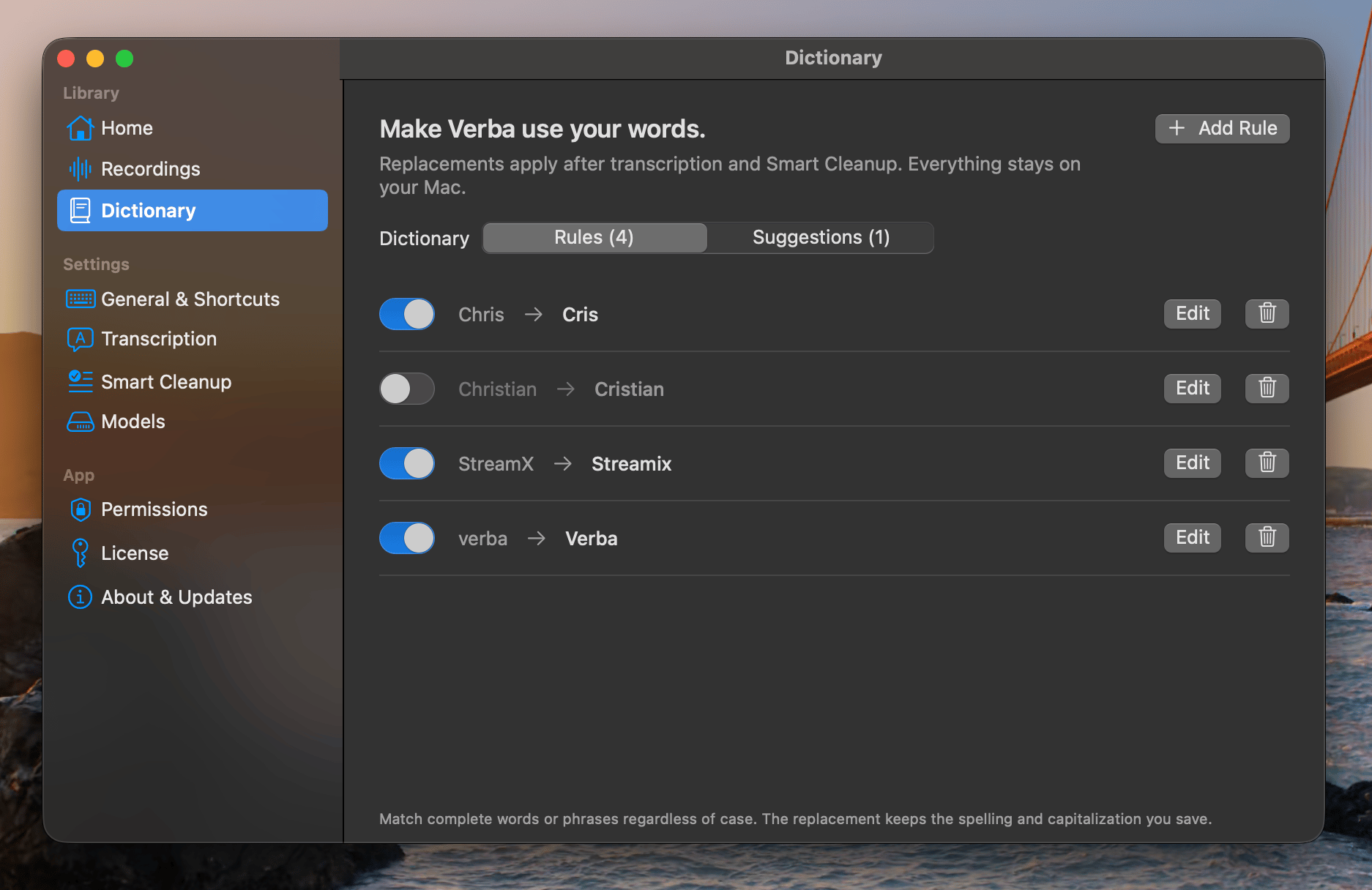
Automatic suggestions. Your choice.
Correct a word after dictating, and Verba can suggest saving the change for next time. Accept it or ignore it—you approve every rule, and can turn correction learning off anytime.
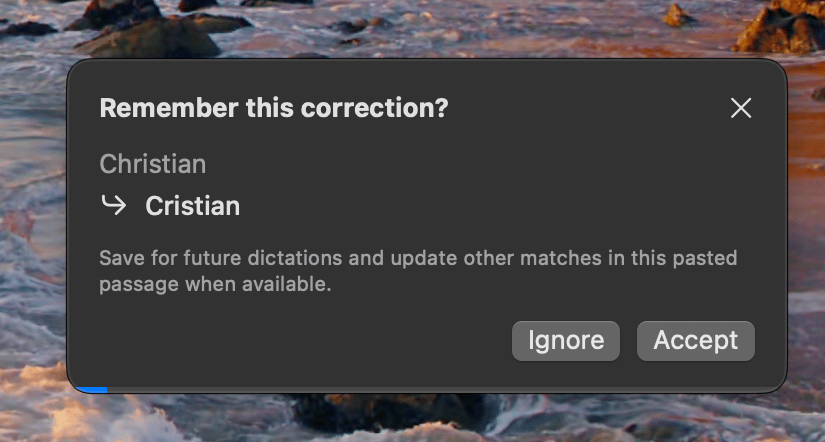
When enabled, correction learning briefly observes edits to text Verba just pasted in a supported field. It requires Accessibility access; support varies by app and field.
99 Languages
Speak naturally in 99 languages, with automatic language detection.
Recording History
Every transcription saved locally with timing and duration.
Made for your Mac
Fast, responsive dictation built for Apple Silicon. Ready to keep up with your thoughts.
No subscriptions. No recurring fees. No surprises.
Pay once. Own it forever.
Full License
Unlimited transcriptions, 3 devices, all future updates
- Activation on 3 devices
- All future updates included
- Private, on-device dictation and cleanup
30-day money-back guarantee
A little more flow. A lot more privacy.
Start speaking. Stop typing.
Download Free — 50 Transcriptions IncludedmacOS 15+ · Apple Silicon required · No account needed